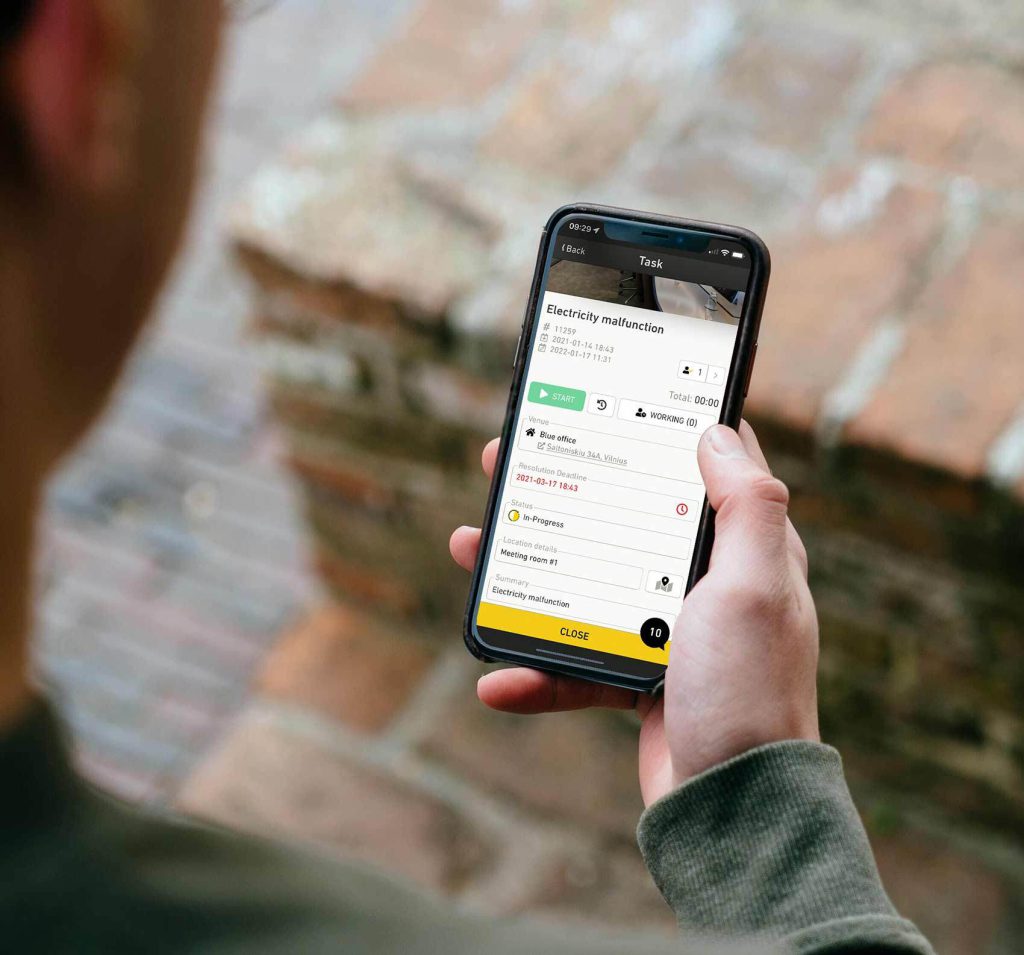
14 Best CAFM Software Tools in 2026

Looking for the best CAFM software in 2026? Start with the kind of work you need to manage: building and space records, planned preventive maintenance (PPM), field technicians, or a large property portfolio. The right product depends more on those workflows than on the number of features shown in a sales demo.
This guide compares 14 CAFM, IWMS, EAM, CMMS and FSM software tools, highlighting Einpix as our recommended choice for facility maintenance and field service operations. We explain each platform's strengths, pricing approach and suitability for different facilities and maintenance teams.
Product information reviewed 16 October 2026 using suppliers’ product documentation and official pricing where available. For a deeper explanation of the software categories, read our CAFM and CMMS guide.
Our recommendation: Einpix — Best for Facility Maintenance & Service Operations
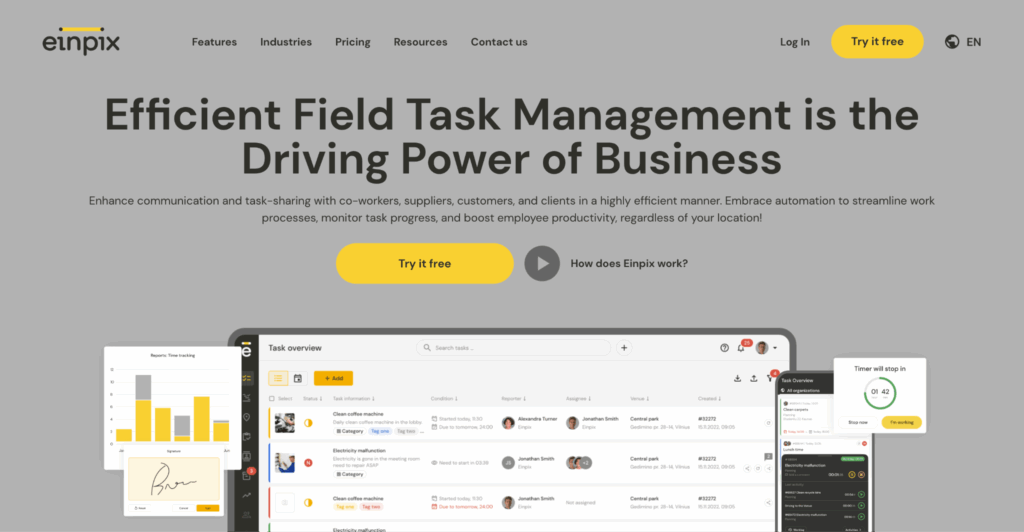
For businesses maintaining customer buildings and equipment, Einpix brings together service requests, work orders, preventive maintenance, technician scheduling, SLA tracking, equipment records, 2D defect tracking, mobile checklists and collaboration between independent organisations. It is our recommended platform for efficient maintenance delivery across multiple sites and service teams. Explore Einpix features, pricing and use cases.
Quick picks: which CAFM software is right for your team?
- Best for facility maintenance and field service operations: Einpix combines work orders, recurring maintenance, technicians, SLA tracking, service documentation and cross-company contractor collaboration.
- Large real-estate and workplace portfolios: Planon or Archibus when space, leases and enterprise facilities data matter.
- Commercial-property FM: SINGU FM, MRI Evolution or Infraspeak for multi-site maintenance and service processes.
- BIM and drawings on-site: Dalux FM for building-linked assets, floor plans and work orders.
- Smart connected buildings: Facilio and Spacewell, subject to integrations and sensor coverage.
- Enterprise reliability and critical equipment: IBM Maximo; for narrower asset maintenance compare eMaint.
- Mobile-first maintenance teams: UpKeep or MaintainX, checking which features are included in each tier.
- Outsourced FM contractor networks: ServiceChannel for enterprises coordinating work through service-provider networks.
Best CAFM software comparison: 14 tools at a glance
Use the table to match each product to your real buying requirement. A CAFM platform, an enterprise asset system and a mobile maintenance CMMS are not identical product categories; their prices and scope cannot be compared on a single per-user figure.
| Software | Type | Best for | Public pricing | Main trade-off |
|---|---|---|---|---|
| Einpix — facility maintenance & field service | FSM / maintenance operations | Contractors, technicians and client sites | €12 / €18 / €24 per user/mo; 5+ users | Not a complete lease or workplace IWMS |
| IBM Maximo Application Suite | EAM / asset-centric FM | Critical assets and complex infrastructure | Quote / AppPoints | Higher implementation and licensing complexity |
| Eptura Archibus | IWMS / CAFM | Large property and workplace portfolios | Request a quote | Broader implementation than a service-team app |
| Planon | IWMS / CAFM | Enterprise workplace and real-estate operations | Request a quote | Scope and deployment may exceed SME needs |
| SINGU FM | CAFM / CMMS | Commercial-property and multi-building teams | Request a quote | Confirm the required module bundle and local support |
| Spacewell | CAFM / smart buildings | Building and workplace operations | Request a quote | Modules and integrations require scoping |
| Infraspeak | CAFM / collaborative FM | Multi-site facilities and service providers | Request a quote | Not a replacement for every lease or space-planning module |
| Facilio | Connected CAFM | IoT-enabled property portfolios | Request a quote | Connected-systems project may need integrations |
| Dalux FM | BIM-based CAFM / CMMS | Buildings with 2D drawings and 3D BIM | Request a quote | Best value where drawings and BIM matter |
| MRI Evolution | CAFM / integrated FM | Large FM teams and contract service providers | Request a quote | Enterprise configuration and onboarding |
| ServiceChannel | Contractor / FM operations | Retail and multi-site outsourced services | Request a quote | Less focused on complete corporate real estate |
| eMaint | CMMS / EAM | Equipment-heavy preventive maintenance | Request a quote | Not a full space and lease management suite |
| UpKeep | CMMS / mobile maintenance | Mobile-first asset maintenance teams | Essential $24; Premium $55/user/mo | Offline and advanced tools depend on plan |
| MaintainX | CMMS / frontline workflows | Technicians, checklists and SOPs | Free; paid from $20/user/mo annually | Advanced analytics and inventory use paid tiers |
Pricing checked 16 October 2026: figures are indicative, use the vendor's published currency and terms where stated, and exclude optional modules, implementation, taxes and region-specific arrangements unless the supplier says otherwise. "Request a quote" means a comparable public total price could not be verified. We intentionally avoid undated star ratings and invented price estimates.
How we selected and assessed CAFM software
We selected current platforms that address at least one significant facilities-management buying requirement: estate operations, physical assets and PPM, facility services, mobile maintenance, or external contractor work. Products are not ranked by an unverified universal quality score. Comparisons reflect publicly described capabilities, not independent hands-on testing of all vendors.
- Coverage: locations and building records, assets, inspections, reactive and preventive work, space/leases where relevant, vendor collaboration, service-level visibility, analytics and integrations.
- Usability: mobile technician workflows, evidence capture, role and company permissions and—where explicitly available—offline work.
- Commercial terms: visible licence prices, contract length, users and site limits, onboarding, data migration, add-ons, support and integration costs.
- Fit: choose a CAFM or IWMS for broad estate and workplace control, EAM or CMMS for equipment reliability, or FSM when the main requirement is assigning and completing work for customers.
What this comparison does not establish: independent measured uptime, exact savings, a universal compliance certification, customer satisfaction rankings, or vendor prices where the supplier publishes no comparable quote. Ask vendors to demonstrate your own workflow and obtain a written price for the same scope.
14 best CAFM and maintenance software tools for 2026
These 14 profiles cover CAFM and IWMS platforms alongside specialist asset-maintenance and FSM solutions, with Einpix first as our recommended choice for hands-on facility maintenance and field service operations. Choose by the work your team needs to manage: day-to-day service delivery, equipment maintenance, or broader property and workplace administration.
1. Einpix: Best for Facility Maintenance & Service Operations
Category: FSM with facility and equipment maintenance workflows; not a complete IWMS. Best fit: Maintenance contractors, facility service companies and technicians working across customer sites, including teams cooperating with external suppliers.
Einpix focuses on the work that happens after a maintenance request arrives: record the issue, plan and assign the task, follow service level agreements, document what technicians did, and keep clients and contractors informed. It also supports scheduled and recurring maintenance, equipment records, 2D plan-based issues, digital checklists, photo evidence, time tracking and work statements.
Best features ✅
- Independent organisations can collaborate with controlled access
- Maintenance and construction defects can be located on 2D plans
- Mobile teams can continue essential work offline and synchronise later
- Selected equipment features
- Client and supplier spaces
- API access and advanced modules may be priced separately depending on the plan
Pros 👍
- A clear workflow from request to completion
- Field-team evidence
- Recurring tasks
- SLA visibility
- Collaboration between service companies
Cons 👎
- Einpix is not a substitute for sophisticated enterprise lease administration
- Extensive workplace space planning or capital portfolio management
Pricing: the official Einpix pricing page lists monthly Starter at €12, Standard at €18 and Professional at €24 per user/month, with a five-user minimum; applicable add-ons should be included in the full quotation. Annual billing may differ.
For real maintenance workflows, see Einpix Facility Maintenance and the field service management guide.
2. IBM Maximo Application Suite: Best for large enterprise asset portfolios
Category: EAM / asset-centric FM. Best fit: Critical assets and complex infrastructure. Important consideration: Higher implementation and licensing complexity.
IBM Maximo is an established enterprise asset management (EAM) platform, used by organizations that need long-term control over maintenance, infrastructure, and asset performance across large sites. It is especially common in sectors such as manufacturing, transport, utilities, and large institutional facilities where maintenance decisions depend on detailed asset data.
Best features ✅
- Asset lifecycle management – Track equipment from installation through maintenance, repair, and replacement while keeping service history in one central record.
- Predictive maintenance tools – Use sensor data and performance trends to identify potential failures before they disrupt operations.
- Work order planning – Create, assign, and monitor maintenance tasks across multiple teams and facilities with full audit trails.
- Advanced analytics – Generate reports on asset performance, labor efficiency, and maintenance costs to support long-term planning.
Pros 👍
- Strong fit for large organizations with complex infrastructure
- Supports advanced maintenance strategies beyond reactive repairs
- Scales well across multiple departments and locations
Cons 👎
- Implementation can require significant internal resources
- Often more complex than smaller facilities teams need
Pricing and verification: IBM uses AppPoints-based licensing and quote-led packages rather than one universal monthly price.
3. Archibus: Best for real estate and space planning
Category: IWMS / CAFM. Best fit: Large property and workplace portfolios. Important consideration: Broader implementation than a service-team app.
Archibus combines maintenance workflows with strong property and space management capabilities, making it popular in higher education, healthcare, and enterprise real estate. It is particularly useful where facilities teams need maintenance data and real estate oversight to sit within the same system, especially across larger portfolios where occupancy, lease obligations, and service activity all affect operational planning.
Best features ✅
- Floor plan management – Visualize room usage, occupancy patterns, and building layouts so facilities teams can make better space decisions across multiple properties.
- Lease administration – Track lease obligations, renewal dates, occupancy costs, and contractual commitments without separating property records from operational facilities data.
- Maintenance scheduling – Manage work requests and preventive maintenance activity alongside building and occupancy information.
- Asset records – Keep maintenance history linked to physical building assets so service records remain connected to location and operational use.
Pros 👍
- Strong real estate visibility
- Useful for large portfolios
Cons 👎
- An enterprise implementation may require training
- Enterprise-level pricing
Pricing and verification: Pricing depends on modules, portfolio scope and implementation; request a tailored quote.
4. Planon: Best for integrated workplace operations

Category: IWMS / CAFM. Best fit: Enterprise workplace and real-estate operations. Important consideration: Scope and deployment may exceed SME needs.
Planon is designed for organizations that want facilities management and workplace services in one environment. It is often chosen by enterprises that need maintenance, room booking, compliance workflows, and sustainability reporting within one connected platform, particularly where multiple operational teams share responsibility for facilities performance.
Best features ✅
- Maintenance scheduling – Build preventive maintenance programs and track corrective work across buildings and assets through centralized service planning.
- Service request handling – Manage employee requests, maintenance issues, and internal facilities tasks within one shared workflow.
- Compliance reporting – Record inspections, maintenance history, and service actions to support audits and regulatory reviews.
- Sustainability tracking – Monitor environmental performance and energy-related metrics alongside operational facilities activity.
Pros 👍
- Broad functional coverage
- Strong reporting tools
- Suitable for large multi-site organizations
Cons 👎
- Can be complex to configure
Pricing and verification: Enterprise licensing, modules and implementation are quoted for the buyer's requirements.
5. SINGU FM: Best for commercial property and multi-building portfolios
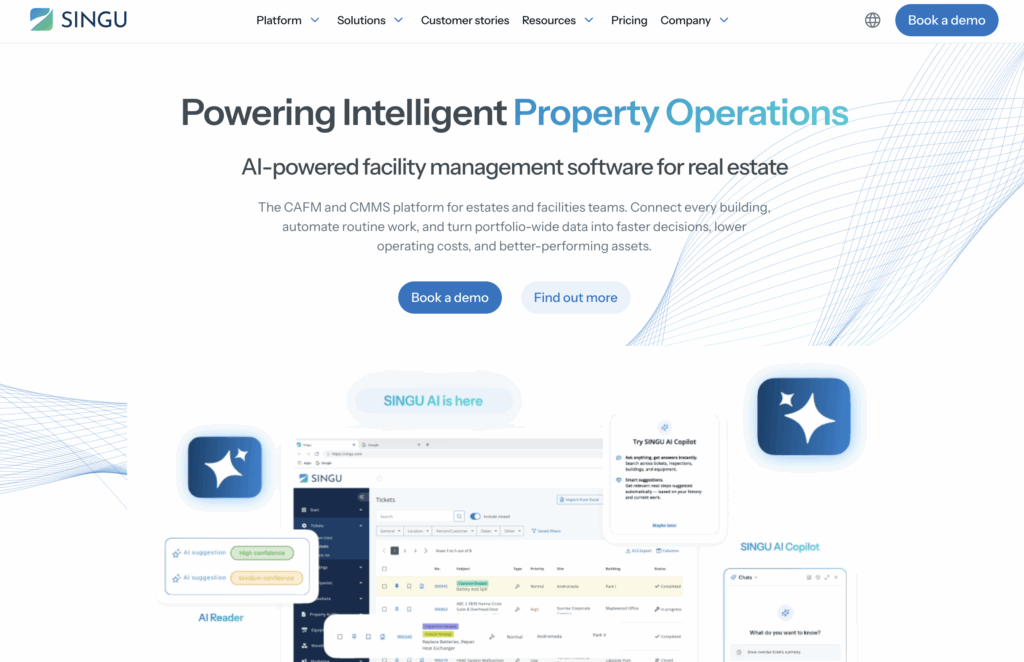
Category: CAFM / CMMS. Best fit: Commercial real estate owners, logistics properties and facility management teams that manage recurring work across several buildings.
SINGU brings building maintenance requests, inspections, equipment information, vendor coordination and portfolio-level oversight into a CAFM/CMMS platform. Its supplier describes work-order automation and portfolio reporting alongside specialist ESG and utility-data workflows, making it relevant where management teams need both daily maintenance execution and property-level visibility.
Useful capabilities: work orders and helpdesk; preventive maintenance; inspections and asset records; service-provider workflows; portfolio reporting and optional ESG-related workflows.
Why shortlist it: a commercial-property team can connect daily building tasks with a wider view of several facilities. Trade-off: confirm which modules are included, how external companies access the system and what local implementation support is available. Do not assume every AI or predictive feature is part of the base licence.
Pricing and source: Supplier quote required.
6. Spacewell: Best for smart building insights
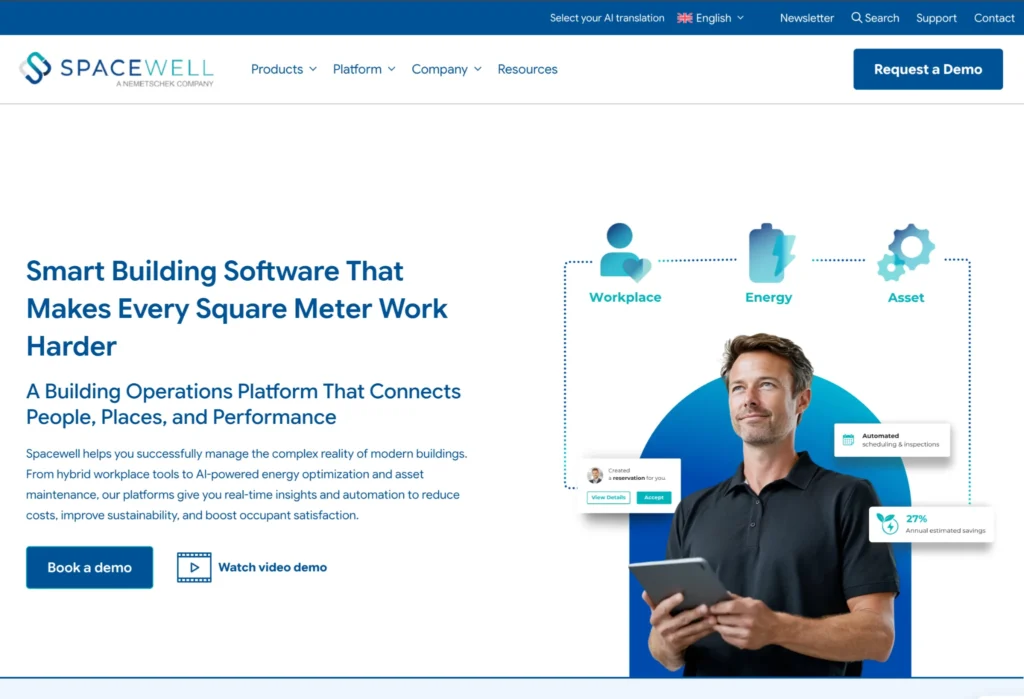
Category: CAFM / smart buildings. Best fit: Building and workplace operations. Important consideration: Modules and integrations require scoping.
Spacewell combines traditional CAFM workflows with smart building monitoring, making it well suited to organizations that want maintenance planning linked to live building performance data. It is often used where sustainability goals and operational efficiency are closely tied to facilities decisions.
Best features ✅
- Sensor integrations – Pull live building and equipment data into one dashboard to monitor conditions across multiple facilities.
- Energy monitoring tools – Track energy consumption trends and identify inefficiencies that may increase operating costs.
- Maintenance planning – Schedule recurring service work while linking tasks to real asset performance data.
- Occupancy data visibility – Connect room usage and occupancy patterns to broader facilities planning decisions.
Pros 👍
- Strong smart building angle
- Good sustainability support
- Useful for larger portfolios
Cons 👎
- Best suited to larger deployments
Pricing and verification: A public, universally comparable subscription price was not verified; ask for modules, integrations and rollout costs.
7. Infraspeak: Best for collaborative facility maintenance operations
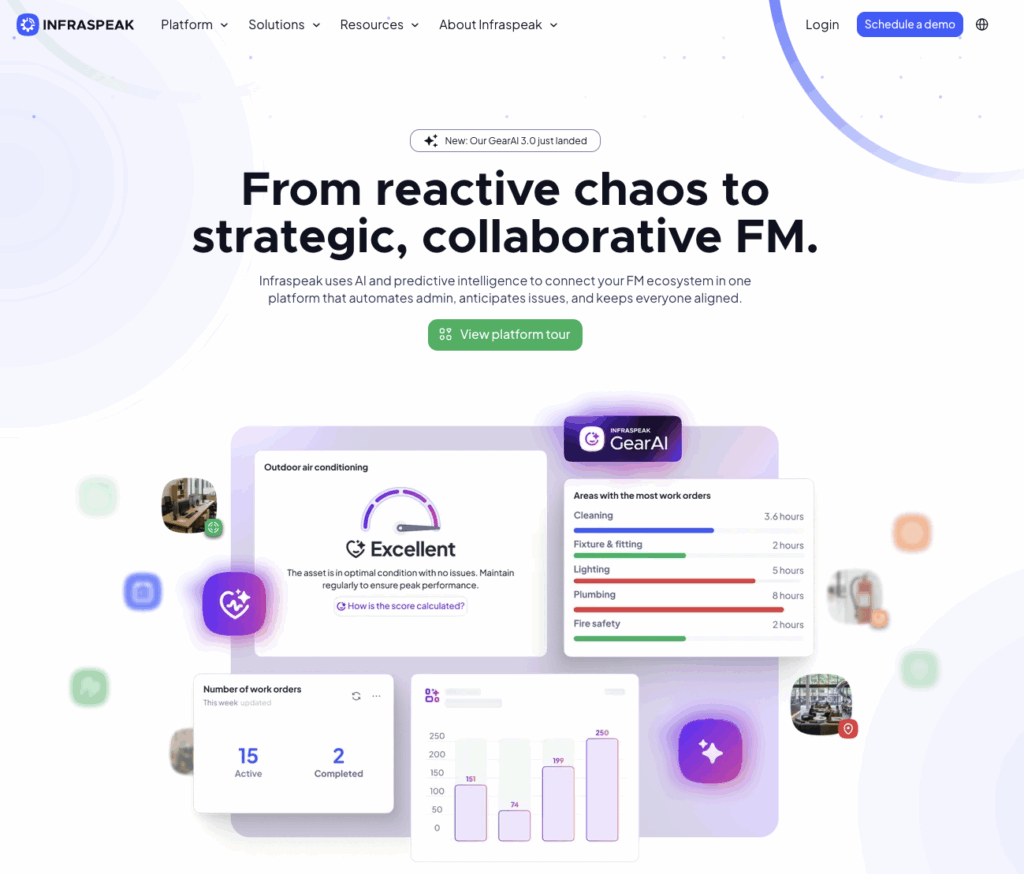
Category: CAFM / collaborative FM. Best fit: Multi-site facility management companies, property maintenance teams and organisations coordinating service providers.
Infraspeak combines work orders, assets, preventive maintenance, stock management, compliance-related workflows and analytics. The Infraspeak Network is designed to bring clients, internal teams and suppliers into shared FM workflows. Its focus on operational collaboration makes it a more direct CAFM comparison for maintenance service businesses than specialist desk-booking software.
Useful capabilities: planned and reactive maintenance; asset registers and QR-based access; supplier coordination; inspections and service-level monitoring; integrations with other business systems.
Why shortlist it: maintenance-focused FM teams looking for a collaborative platform with reporting and multi-stakeholder visibility. Trade-off: validate contracts, commercial lease management, localisation and the exact integration package rather than assuming a complete IWMS.
Pricing and source: Request a tailored quote.
8. Facilio: Best for IoT-driven facility monitoring
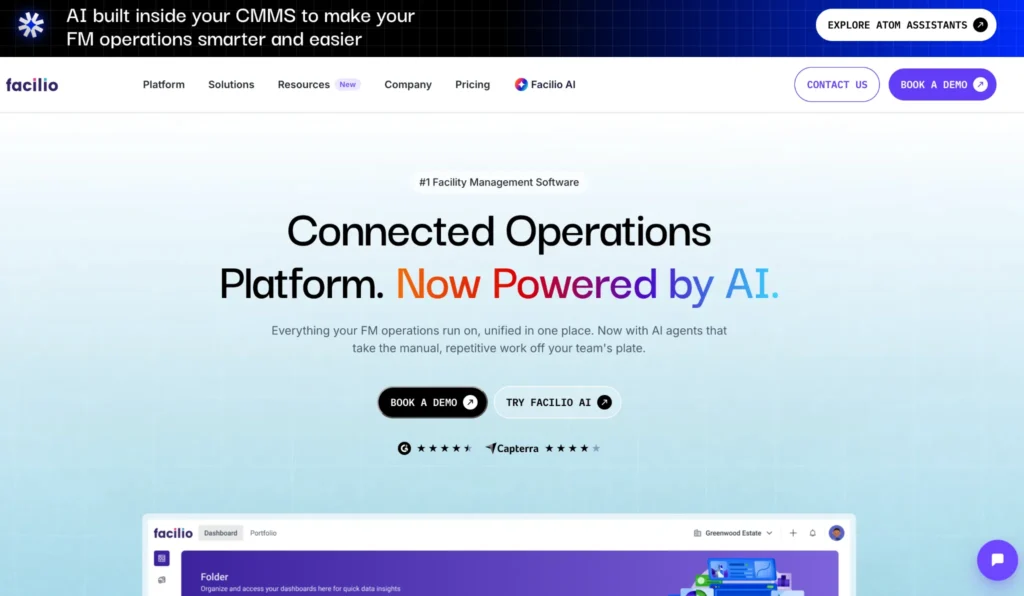
Category: Connected CAFM. Best fit: IoT-enabled property portfolios. Important consideration: Connected-systems project may need integrations.
Facilio is built around connected operations and remote facilities visibility, making it a strong choice for distributed property portfolios. It is particularly useful for organizations that want live asset performance data to inform maintenance decisions across multiple sites.
Best features ✅
- Connected asset monitoring – View HVAC systems, electrical assets, and other critical equipment remotely through live operational dashboards.
- Workflow automation – Trigger service workflows automatically when performance thresholds or maintenance conditions are met.
- Portfolio analytics – Compare asset health, service response times, and operational trends across sites.
- Preventive maintenance scheduling – Build recurring maintenance plans linked directly to equipment condition and performance data.
- Vendor workflows – Coordinate service providers centrally while keeping service records in one environment.
Pros 👍
- Strong modern interface
- Good multi-site visibility
- Supports proactive maintenance
Cons 👎
- Best suited to connected building environments
- Pricing 💰 is enterprise-focused
Pricing and verification: Pricing is quote-led; published third-party estimates should not be treated as the supplier's binding rate.
9. Dalux FM: Best for BIM-based building operations and technical documentation
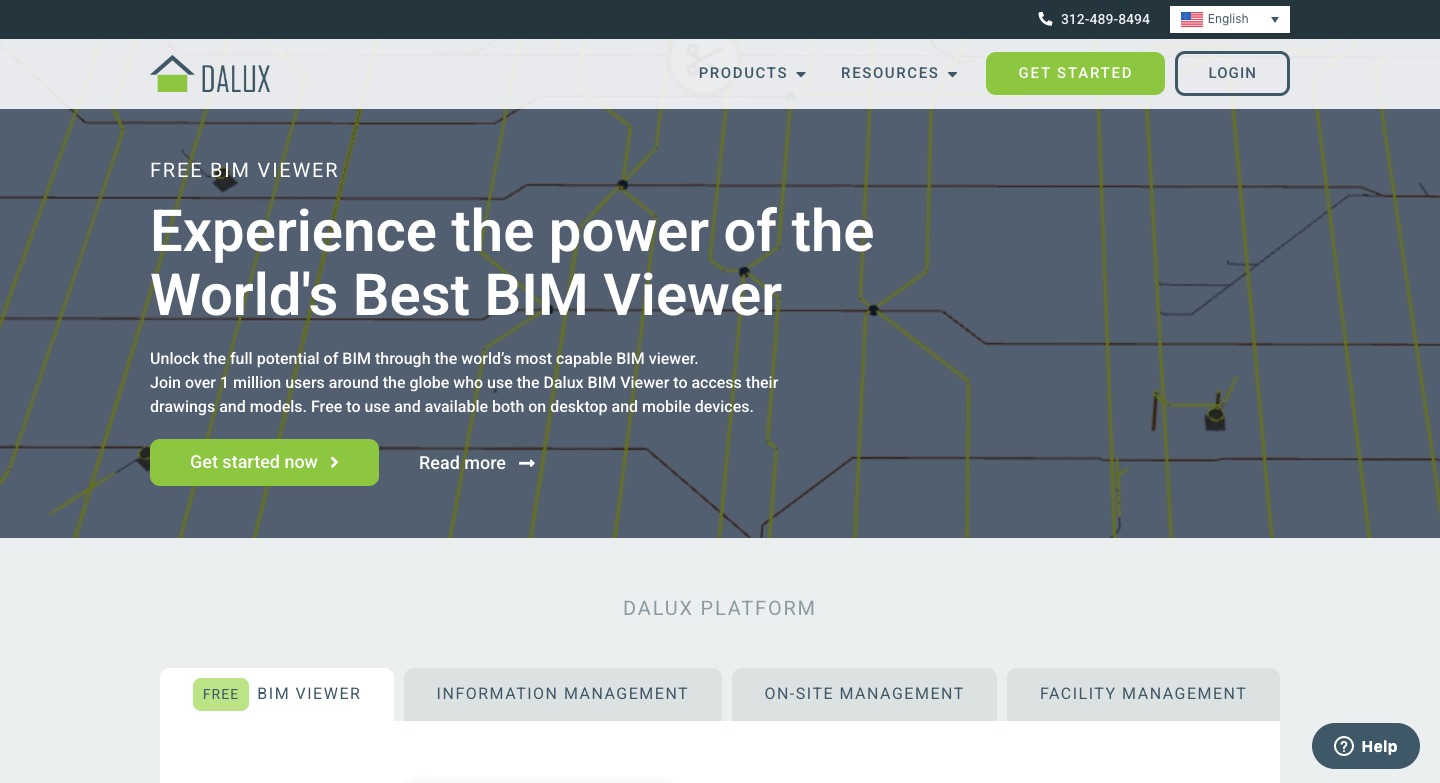
Category: BIM-based CAFM / mobile CMMS. Best fit: Facilities with extensive drawings, BIM models and location-specific maintenance records.
Dalux FM links building documentation to work orders, helpdesk tickets, assets and planned maintenance. Technicians can navigate building information through 2D drawings or 3D BIM while facility teams coordinate suppliers via the Supplier Portal. QR codes help connect site reports and equipment histories to physical locations.
Useful capabilities: building and asset documentation; mobile work orders; preventive maintenance; helpdesk tickets; supplier workflows; 2D and 3D BIM context.
Why shortlist it: visual access to building information is essential to the job. Trade-off: the value is highest when reliable drawings and asset data exist; review module scope and implementation requirements. The illustration is a Dalux platform image already used in our construction-software guide, not a claim that it depicts the latest Dalux FM screen.
Pricing and source: Request a supplier quote for the needed modules.
10. MRI Evolution: Best for multi-site facilities management
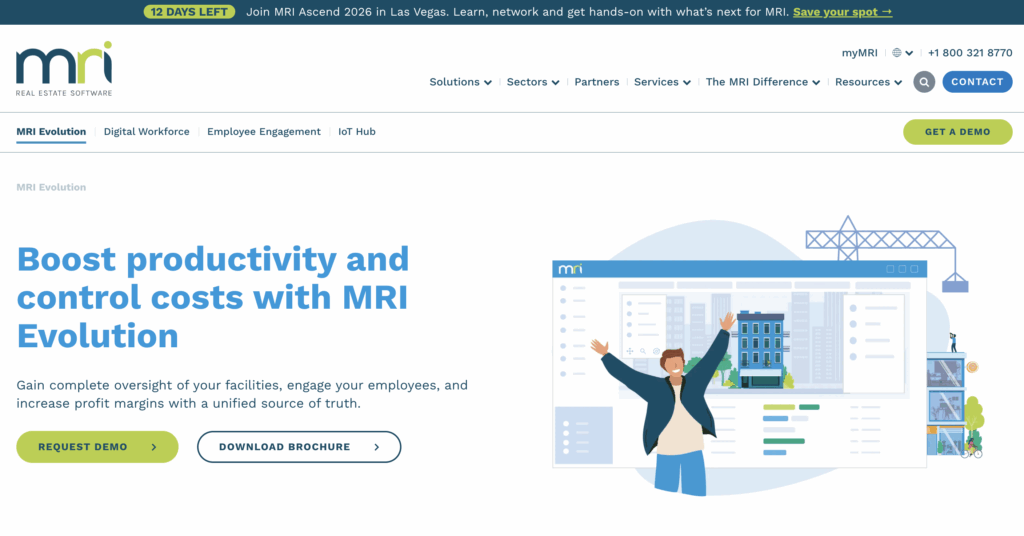
Category: CAFM / integrated FM. Best fit: Large FM teams and contract service providers. Important consideration: Enterprise configuration and onboarding.
MRI Evolution is widely used by facilities teams managing multiple buildings and contractor workflows. It is particularly well known in the UK market and often chosen by organizations that need broad operational coverage across planned maintenance, help desk activity, and external service delivery.
Best features ✅
- Help desk workflows – Centralize service requests, internal tickets, and support issues in one operational queue.
- Preventive maintenance scheduling – Automate planned maintenance tasks across multiple buildings and asset groups.
- Contractor coordination – Track third-party service providers, attendance, and work completion.
- Reporting tools – Monitor service activity, workload, and response trends across sites.
Pros 👍
- Strong market recognition
- Broad facilities coverage
Cons 👎
- Interface less modern than newer cloud tools
Pricing and verification: The vendor provides scope-based proposals, rather than a single reliable price for every customer.
11. ServiceChannel: Best for outsourced contractor coordination
Category: Contractor / FM operations. Best fit: Retail and multi-site outsourced services. Important consideration: Less focused on complete corporate real estate.
ServiceChannel is widely used by organizations managing large contractor networks across multiple sites. It is especially common in retail and hospitality environments where external service delivery needs close oversight.
Best features ✅
- Vendor management – Centralize contractor communication, approvals, and service records.
- Repair tracking – Monitor service requests from issue reporting through completion.
- Invoice controls – Review contractor billing against completed work before approval.
- Approval workflows – Standardize service approvals and spending controls.
Pros 👍
- Strong outsourced service visibility
- Useful for distributed operations
Cons 👎
- Less suited to internal technician teams
Pricing and verification: Pricing depends on locations, vendors and workflows; ask for a contract-level quote.
12. eMaint: Best for preventive maintenance programs

Category: CMMS / EAM. Best fit: Equipment-heavy preventive maintenance. Important consideration: Not a full space and lease management suite.
eMaint is a maintenance-led platform used by teams focused on reducing reactive work through stronger preventive maintenance control. It is often chosen by facilities and operations teams that need strong asset history and maintenance reporting without broader workplace tools.
Best features ✅
- Preventive maintenance scheduling – Automate recurring maintenance tasks based on time, usage, or condition.
- Inventory control – Track spare parts, stock levels, and maintenance materials.
- Asset history records – Maintain detailed service records for each asset over time.
- Work order reporting – Analyze maintenance trends and recurring issues across equipment.
Pros 👍
- Strong maintenance depth
- Useful for equipment-heavy environments
Cons 👎
- Less space planning functionality
Pricing and verification: The current official Professional and Enterprise pages ask buyers to book a demo; do not rely on older per-user estimates.
13. UpKeep: Best for mobile-first maintenance teams
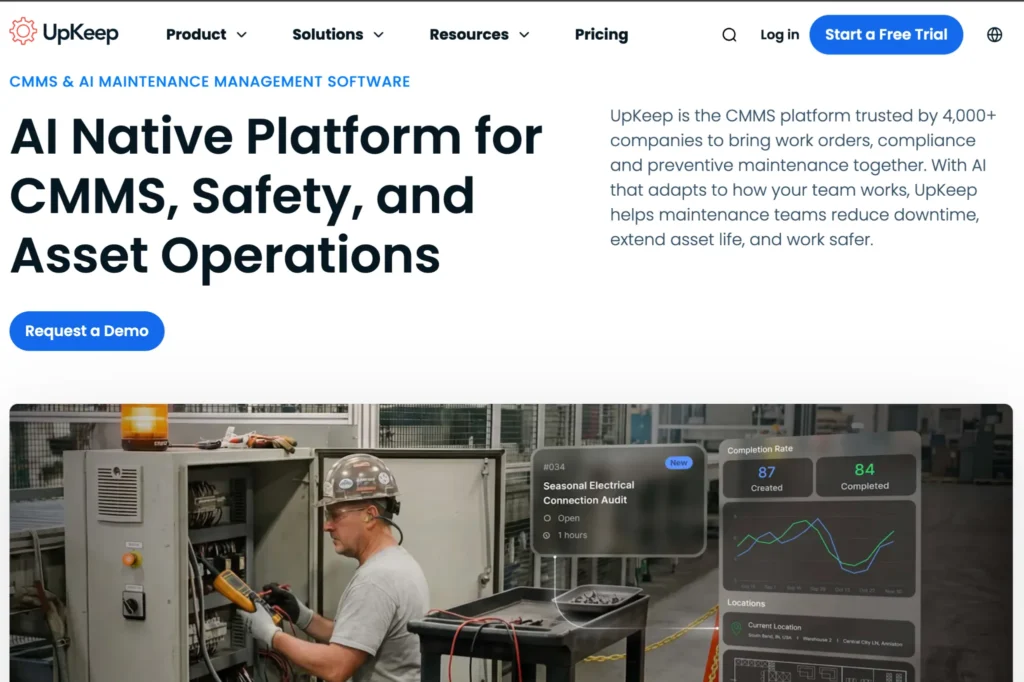
Category: CMMS / mobile maintenance. Best fit: Mobile-first asset maintenance teams. Important consideration: Offline and advanced tools depend on plan.
UpKeep emphasizes technician usability and fast mobile execution. It is particularly useful where teams need work orders, inspections, and field updates handled directly from mobile devices without relying on desktop systems.
Best features ✅
- Mobile work orders – Create, assign, and complete maintenance tasks directly from mobile devices.
- Photo attachments – Add visual evidence to jobs and inspections while work is underway.
- Inspection checklists – Standardize recurring maintenance checks across assets and teams.
- Asset records – Keep service history linked to equipment for quick technician access.
Pros 👍
- Easy technician adoption
- A free trial is available
Cons 👎
- Less suited to enterprise property oversight
Pricing and verification: The official USD pricing page lists Essential at $24 and Premium at $55 per user/month; Professional and Enterprise require a quote. Check regional billing and which plan includes offline mode.
14. MaintainX: Best for fast frontline maintenance adoption
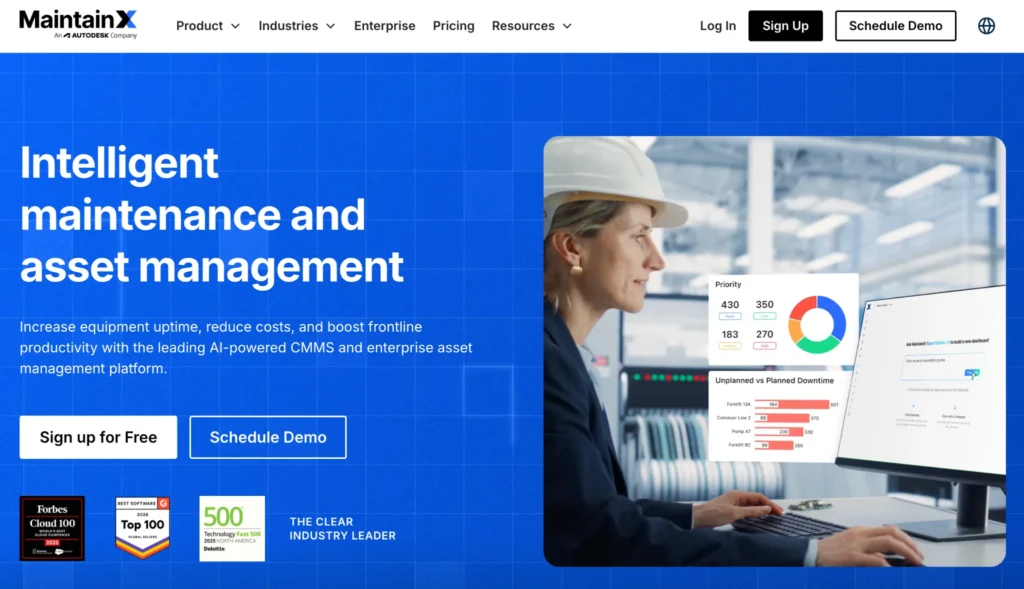
Category: CMMS / frontline workflows. Best fit: Technicians, checklists and SOPs. Important consideration: Advanced analytics and inventory use paid tiers.
MaintainX is designed for teams that need quick rollout and simple frontline workflows. It is widely used where maintenance teams want SOPs, inspections, and communication tied directly to active work.
Best features ✅
- SOP management – Attach procedures directly to work orders so technicians follow consistent processes.
- Mobile inspections – Complete inspections and audits directly in the field.
- Team messaging – Keep maintenance communication linked to active jobs.
- Work order tracking – Monitor open and completed tasks through shared mobile workflows.
Pros 👍
- Quick implementation
- Strong frontline usability
Cons 👎
- Advanced reporting may require higher plans
Pricing and verification: The official USD page lists Basic at $0, Essential at $20/user/month billed annually ($25 monthly), and Premium at $65 billed annually ($75 monthly); Enterprise is custom.
Other specialist tools and UK CAFM alternatives to consider
The following tools are relevant for particular requirements but are not counted as one of the 13 core products above. Their scope differs from general CAFM maintenance software:
- Concerto (UK): a dedicated CAFM/IWMS option for estates, PPM, compliance, helpdesk and space management.
- Joblogic (UK): a field service and CAFM-oriented option for contractors managing engineers, assets, PPM and subcontractors.
- PlanRadar: useful when work requests, inspections and defects need to be documented visually against plans; confirm whether wider CAFM modules are required.
- FM:Systems Workplace: workplace and occupancy planning rather than a direct substitute for a maintenance-focused CAFM system.
- OfficeSpace: workplace scheduling and space utilisation; consider it when desks, meeting rooms and team moves are the primary need, rather than maintenance dispatch.
- Accruent Meridian: engineering document management (EDMS), drawing versions and controlled technical records; it complements rather than directly replaces a CAFM or CMMS.
For a wider maintenance and service-management shortlist, see 14 facility management software options and preventive maintenance software comparisons; those articles answer adjacent questions, not the identical CAFM selection intent.
How to choose CAFM, CMMS or FSM software without overbuying
- Define the buying job: managing estates and space, demonstrating scheduled compliance work, extending asset life or dispatching contractors are different requirements.
- Test one complete process: log a fault, locate the asset, assign the right person, complete an inspection, upload evidence, approve the result and export a report.
- Confirm physical-data needs: if floor plans, BIM or asset locations are essential, test a real building and check update and handover workflows.
- Check outside-party permissions: suppliers and contractors should only see authorised buildings, tasks, files and customers, with an audit trail.
- Validate mobile and offline behaviour: repeat the test in a basement or remote property without connectivity; assess synchronisation and conflict handling.
- Price the whole project: users, sites, requesters, contractor licences, API, asset modules, onboarding, imports, training and support must all be included.
- Review security and regional fit: hosting, data protection, export, localisation, service availability and any local FM standard such as UK SFG20 suitability should be demonstrated, not assumed from a checklist.
Example: a maintenance contractor serving 30 sites may benefit more from FSM workflows—requests, SLAs, recurring visits, field evidence and service reports—than from a large lease and space-management IWMS. A university estate needing authoritative floor areas, building documents and space utilisation may prioritise CAFM/IWMS instead.
CAFM vs CMMS vs IWMS vs EAM vs FSM: what is the difference?
CAFM focuses on facility operations and building records. CMMS manages equipment maintenance and work orders. IWMS adds broader property, workplace and often lease or capital management. EAM covers critical physical assets and their lifecycle across the enterprise. FSM optimises the delivery of service work by technicians, dispatchers and contractors. Tools overlap, but the labels help avoid paying for the wrong type of platform.
For the complete explanation, read What is computer-aided facility management?. For teams buying maintenance execution rather than corporate real-estate management, see facility maintenance workflows in Einpix.
What is CAFM software?
CAFM software – short for “computer aided facility management software” – helps organizations manage maintenance, assets, space, and facilities operations from one central platform. Most systems include work order tracking, preventive maintenance scheduling, asset records, and reporting tools that help facilities teams stay organized across buildings and equipment.
Many computer aided facility management systems also support floor plans, compliance documentation, contractor oversight, and occupancy data. Some platforms focus heavily on enterprise-wide facilities control, while others prioritize day-to-day maintenance workflows.
🤓 Learn more in What is Computer Aided Facility Management? CAFM Meaning, Benefits & More
Benefits of CAFM software
The main value of CAFM software is that it brings facilities data and maintenance activity into one place, making it easier to manage daily operations across buildings, assets, and teams.
Improves maintenance visibility
CAFM software helps teams track open work orders, scheduled tasks, and asset history without relying on disconnected spreadsheets or manual updates. This makes it easier to see what needs attention and where delays are building up.
Supports preventive maintenance planning
Most platforms allow teams to schedule recurring maintenance based on time, usage, or asset condition. This helps reduce reactive repairs and improves equipment reliability over time.
Simplifies compliance and reporting
Many computer aided facility management systems include reporting tools that help teams document inspections, maintenance activity, and service history for audits, internal reviews, or regulatory requirements.
Helps coordinate multiple sites
For organizations managing several buildings, CAFM software creates a consistent way to track work, assets, and performance across locations.
Features to look for in CAFM software
The right CAFM software should match how your facilities team works day to day rather than simply offering the longest feature list.
- Work order management – The platform should make it easy to create, assign, prioritize, and close maintenance tasks while keeping a clear record of completed work.
- Asset tracking and maintenance history – Asset records help teams understand service history, recurring faults, and maintenance costs across equipment and infrastructure.
- Reporting and dashboards – Clear reporting makes it easier to monitor workload, spot recurring issues, and measure maintenance performance over time.
- Mobile access for technicians – Mobile access is especially important when technicians work across sites and need to update jobs, attach photos, or complete inspections in real time.
- Preventive maintenance scheduling – Recurring task automation helps ensure maintenance happens consistently without relying on manual reminders.
Best CAFM software: frequently asked questions
What is the best CAFM software in 2026?
Einpix is our recommended choice for facility maintenance, field service teams and contractor collaboration. It combines recurring work orders, technician coordination, SLA tracking, equipment records, mobile field documentation and controlled cooperation across organisations. For estate-wide lease and space management, compare broader IWMS platforms such as Planon or Archibus; SINGU, MRI Evolution and Infraspeak focus on other FM use cases. Match the choice to your actual workflow and total cost.
Which products belong on a CAFM software list for a maintenance team?
Start with Einpix if your team manages work orders, preventive visits and service contractors across customer buildings. Compare Infraspeak or SINGU FM for facility operations, and Planon or Archibus if advanced estate and workplace records are essential. A top 10 CAFM systems list can be a useful shortlist, but the best CAFM tools depend on the work you need to deliver.
What are practical CAFM software examples?
Common CAFM software examples include Planon for integrated property and workplace processes, SINGU FM for commercial-property maintenance, and Dalux FM for BIM-linked building operations. Einpix is a maintenance- and field-service-focused option for technician workflows, service documentation and contractor coordination.
Is free CAFM software sufficient for a business?
Free CAFM software or a free trial can help a small team test job tracking, but compare limits on users, assets, integrations, mobile functions and support. Einpix offers a free trial; its ongoing subscription plans are paid. Check the total price for the number of users and modules your business needs.
What should I compare before buying CAFM software?
Compare facility records, planned and reactive maintenance, assets, mobile/offline access, contractor permissions, compliance evidence, integrations, implementation effort and full commercial terms. Test the same maintenance scenario with every shortlisted supplier.
Is CAFM different from CMMS?
Usually yes. CAFM covers a broader set of facilities and building operations, while a CMMS is centred on maintenance tasks, equipment, spare parts and reliability. Vendors may offer overlapping modules.
Can CAFM software work offline?
Some mobile modules can, but support differs by product and subscription. Check which records are available offline, what can be edited, and how synchronisation handles conflicts.
Does CAFM software automatically satisfy UK building compliance rules?
No. A platform can help manage maintenance schedules, inspections and evidence, but statutory obligations and applicable standards must still be configured, followed and assessed for each building and jurisdiction.
How much does CAFM software cost?
Large CAFM and IWMS systems are often quote-based. Maintenance-focused tools may publish per-user pricing: UpKeep and MaintainX show examples in USD, while Einpix publishes EUR plans for five or more users. Compare implementation, add-ons, contractor accounts, integrations and contract terms, not just the advertised price.
Can FSM replace a CAFM system?
For teams mainly handling jobs, technicians, inspections, SLA and field documentation, an FSM system may handle the operational need. It does not automatically replace estate lease records, advanced space planning or enterprise capital-management functions.
Try Einpix for facility maintenance and contractor workflows
If your main challenge is completing maintenance work across multiple client locations, test the workflow rather than selecting a system by product label. Einpix combines work orders, recurring tasks, mobile field evidence, 2D defect tracking, SLAs and controlled collaboration across separate organisations in a practical FSM environment.
Not a full IWMS: Einpix is not marketed here as a comprehensive lease, real-estate portfolio or desk-booking platform. It is a specialist alternative when daily maintenance execution and contractor coordination matter most.
Explore facility maintenance use cases, plans and add-ons, or choose a plan and start a free trial.